
CLI
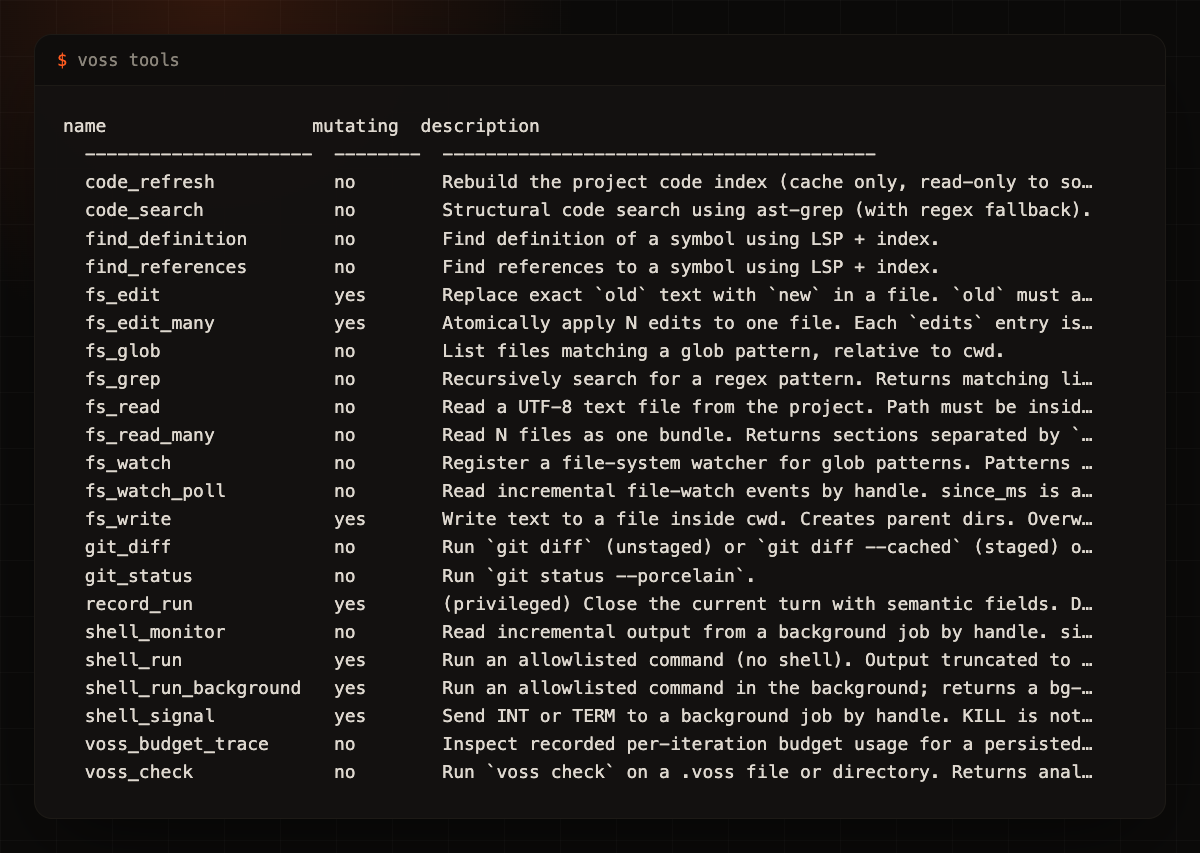
Scriptable one-shot and repo commands.
Voss gives coding agents a local workspace: live runs, scoped tools, approvals, review surfaces, and replayable history built for software work instead of chat drift.
Live workspace preview
The desktop path is moving from a terminal grid toward a live review cockpit: start a native run, inspect the work as it happens, approve risky actions, and reconnect to recent local sessions while verification continues.
Native Voss runs can show task progress, tool activity, model output, and final results as readable rows instead of terminal noise.
Permission decisions can appear where the work is happening, with the same pending item also visible in the attention queue.
The cockpit can list recent local work and open a live pane back onto a run when the local workspace is available.
Starting, ended, failed, and disconnected states are shown directly. The UI does not pretend a run is live when it is not.
Why ADE
Keep sessions, project memory, phase context, and validation artifacts tied to the repo where the work happens.
Review tool calls, traces, diffs, confidence gates, budget records, and generated artifacts before they become opaque history.
Expose tools through explicit modes, MCP surfaces, permission gates, and mutation boundaries instead of all-or-nothing automation.
Stack
Voss spans the CLI, TUI, desktop shell, MCP bridge, and code intelligence surfaces users operate locally.
Scriptable one-shot and repo commands.
Interactive turns, modals, and traces.
Live local workspace for supervised runs.
Expose Voss tools to agent clients.
Repo-aware context and navigation.
Diff, inspect, lint, and budget helpers.
Phase plans, checks, and summaries.
Orchestration panels
The ADE centers the orchestration surfaces: roster, board, session tree, reviewer verdicts, and the audit. Panels stay quiet by default and reveal detail on demand.
Declared roles, scope, budget, and model tier.
Cards moving across columns with WIP limits.
Per-agent budget, scope, and status, live.
Reviewer-A and Reviewer-B output, side by side.
Allocation and consumption per root, card, and agent.
The run as a navigable, replayable trail.
Workflow
Start with bounded intent, phase context, and read-only analysis before edits.
Execute tool calls through declared modes and workspace-scoped capabilities.
Open traces, budget records, probable decisions, and Voss diffs while the work is fresh.
Close the loop with validation checks, summaries, and PR-ready artifacts.
Desktop builds
The stable setup path is still the Voss CLI. The desktop workspace is active in local preview while the live run path, approval loop, and packaging experience are verified.
Install with npm or pip and run Voss inside an existing repo.
npm i -g @vosslang/cliLocal preview for live work, approvals, inspection, and reconnecting to recent sessions.
Run Voss from source while desktop packaging and preview verification continue.
View setup docs